121
121
In order to manage the email notifications you receive from the application sourceONE, please follow the steps below:
01. Go to http://www.cosmo-one.gr/en/
02. Click on the tab “LOGIN”.
03. Click the “LOGIN” link under “Marketsite”.
04. You will be redirected to the cosmoONE Community Manager portal site, where you will have to fill in your credentials in order to log in.
05. After logging in, please select the link “sourceONE” and you will be redirected to the sourceONE (compareONE & tenderONE application) home page.
06. Click on the purple letters of the option tenderONE or click on the green letters of the option compareONE.
07. After that on the new screen, select from the menu ADMINISTRATION-> Notifications.
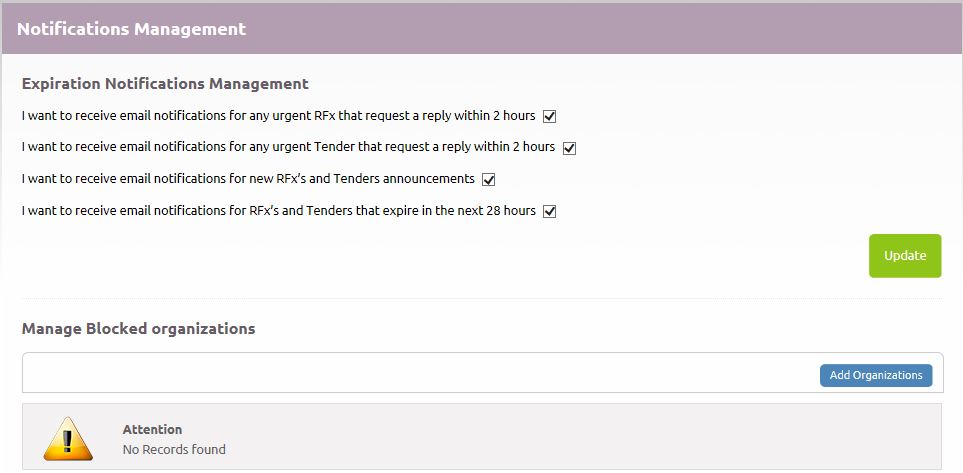
08. Re-select the options of the emails notifications you don't wish to receive from the option 'Expiration Notifications Management'.
09. Exclude the Organizations that you don't wish to receive emails notifications from the option 'Manage Blocked organizations', by clicking on 'Add Organizations' and typing the name of the Organization or the prefix to search.
Tip: Leave the fields blank and click 'Search' to show all organizations.
10. Click the tickbox and select 'Add'.