



 316
316
- Visit the page www.marketsite.gr.
- Click on the button LOGIN.
- Click Reset Login Password at the bottom right corner of the screen.
- Enter the Username and press Submit.
Please note that your username is NOT your email unless you have changed it after registering (How can I change user’s details?)
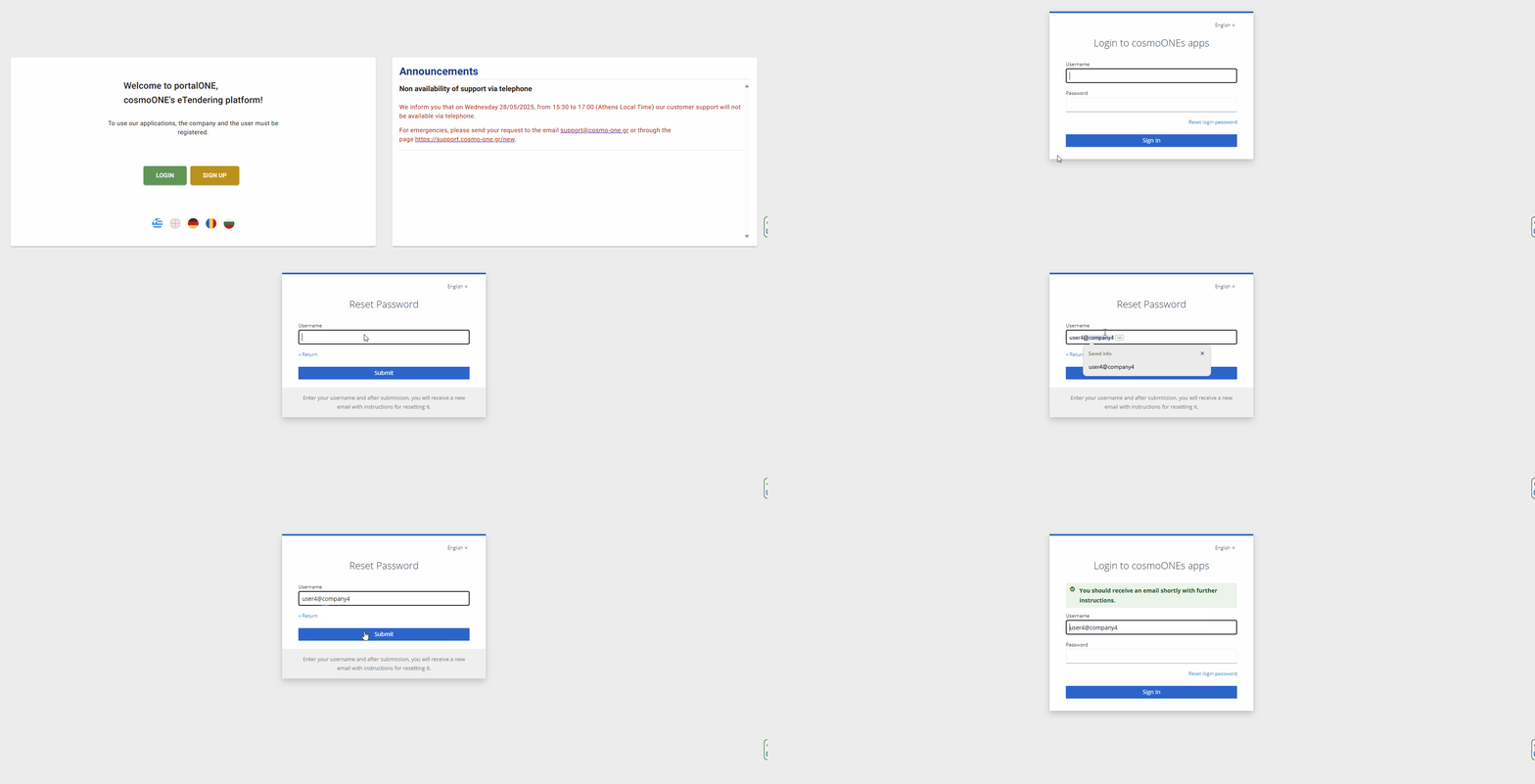
- An email will be sent to you immediately. The time duration of the link in the email is 5 minutes. Otherwise, you must repeat the procedure of reset password.
- Click on the link Link to reset credentials in the e-mail.
- Εnter the new password. The new password must contain:
- At least 8 characters,
- One number,
- One capital letter,
- One lowercase letter.
- Confirm Password and Press Submit.
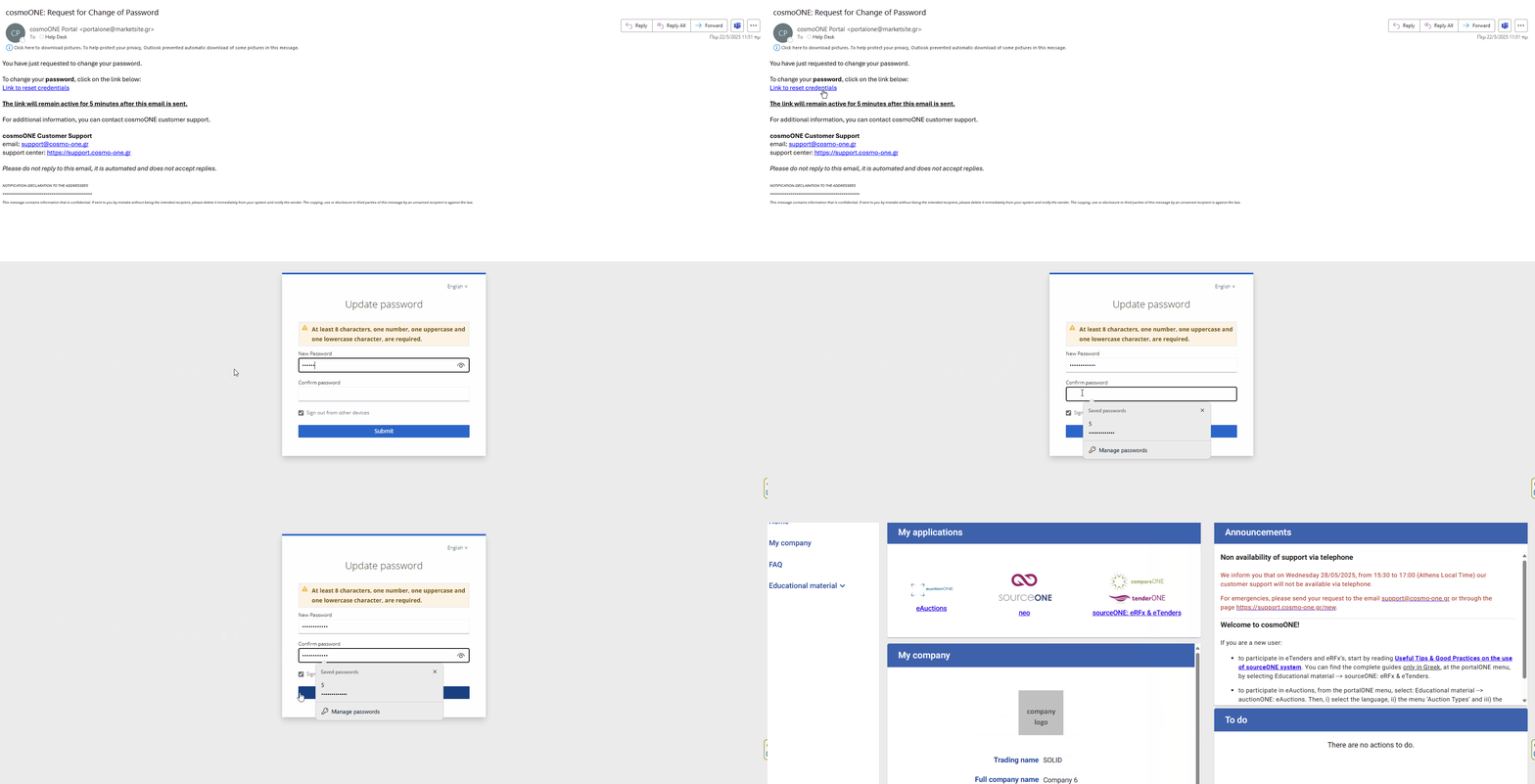
- You have now logged into Portal.
In case you HAVEN'T confirmed your email address after your registration in the past, then the following message will appear:
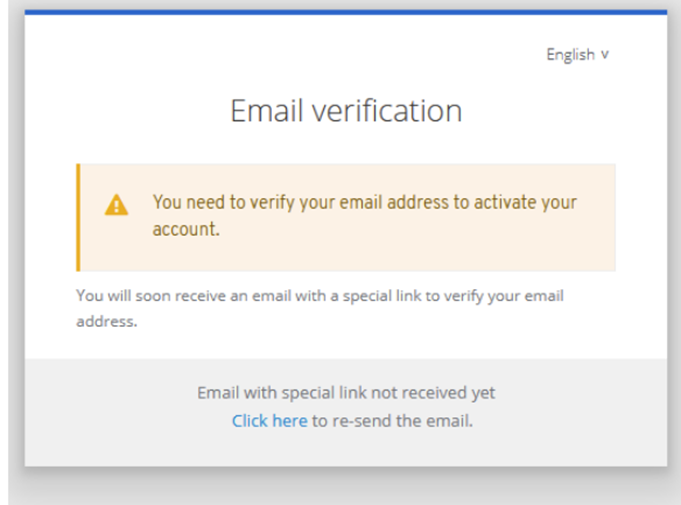
An email will be sent to you immediately. The time duration of the link in the email is 5 minutes. Otherwise, you must repeat the procedure of reset Password.
Click on the link Link to e-mail address verification in the email.

Attention: If you do not receive the relevant email, it is possible that either you have entered an incorrect user ID or your email address needs to be updated in the application. For any clarification, you can contact us at [email protected].

