


How can another user within my company reset my password?

Feb 05, 2026
 48
48
📺 Watch the related video/gif to guide the user step-by-step through the password reset process.
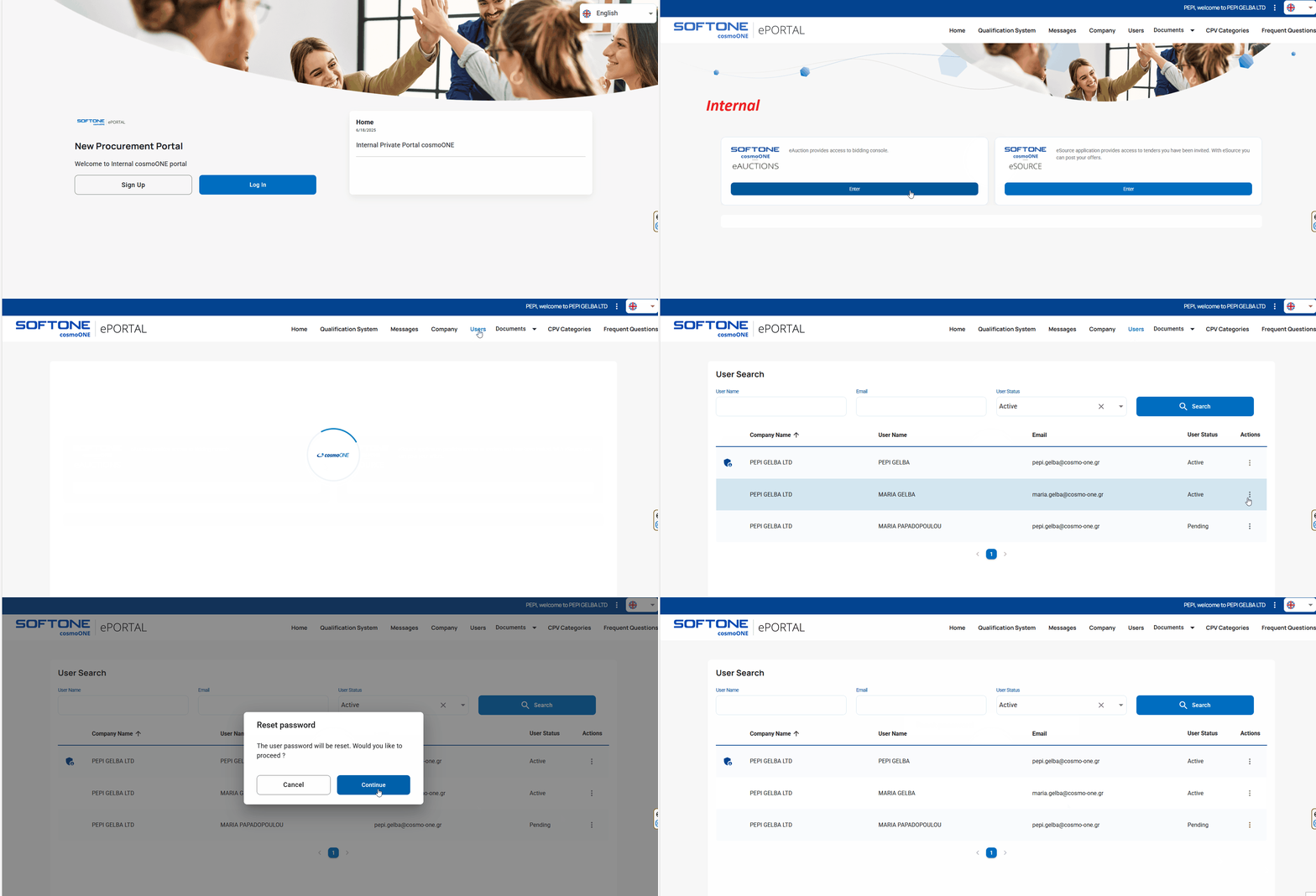
➤ Step-by-step instructions:
1. Any user can log in to the application using their personal login credentials.
2. The user navigates to the “Users” menu.
3. They locate your name in the company's user list.
4. In the “Actions” column, the user clicks the three vertical dots (⋮) button.
5. From the pop-up menu, the user selects the option “Password Restore”.
Immediately afterwards, you will automatically receive an email with a link to create a new password.
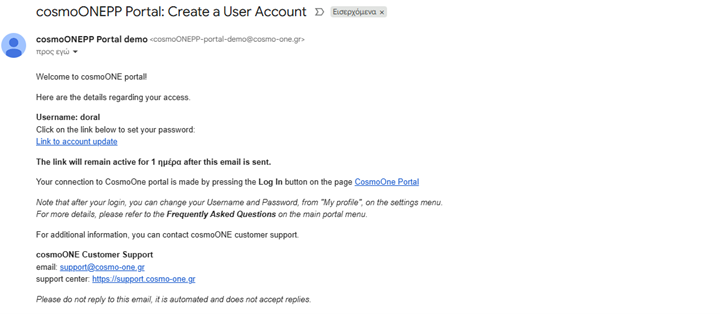
⚠️ Note: If the user's email is no longer valid, you must first edit their details to update the email address and then proceed to reset the login password.

