


Edit or Delete a saved Questionnaire

Dec 22, 2025
 20
20
📺 See the related video/GIF for step-by-step instructions on how to edit or delete a saved questionnaire.
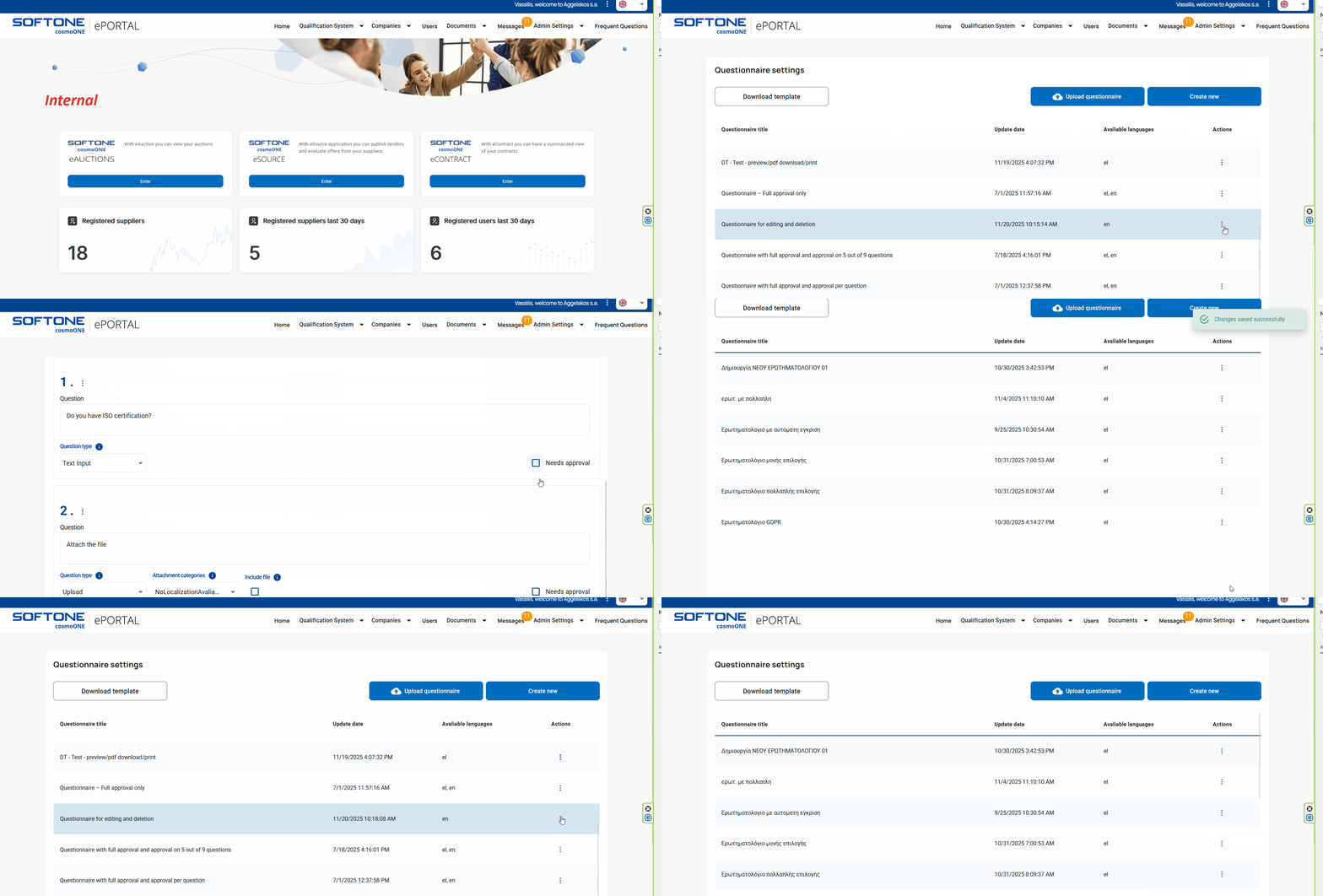
➤ Step by step instructions:
1. Navigate to the “Admin Settings” menu.
2. Select the “Questionnaires” option.
3. Find the questionnaire you want to edit and click on the three vertical dots (⋮) located on the right side under the “Actions” column. From the pop-up choice, select “Edit Questionnaire”.
4. Make the necessary changes to the questionnaire. Click Save Questionnaire button (bottom right) to save your changes.
5. If you want to permanently delete the questionnaire, click the red Delete Questionnaire button which is located at the top right.

