



 28
28
📺 Watch the releted video/gif for a step-by-step guidance on how to submit a registration application to Category Groups, provided that this functionality has been enabled by the Contracting Entity.
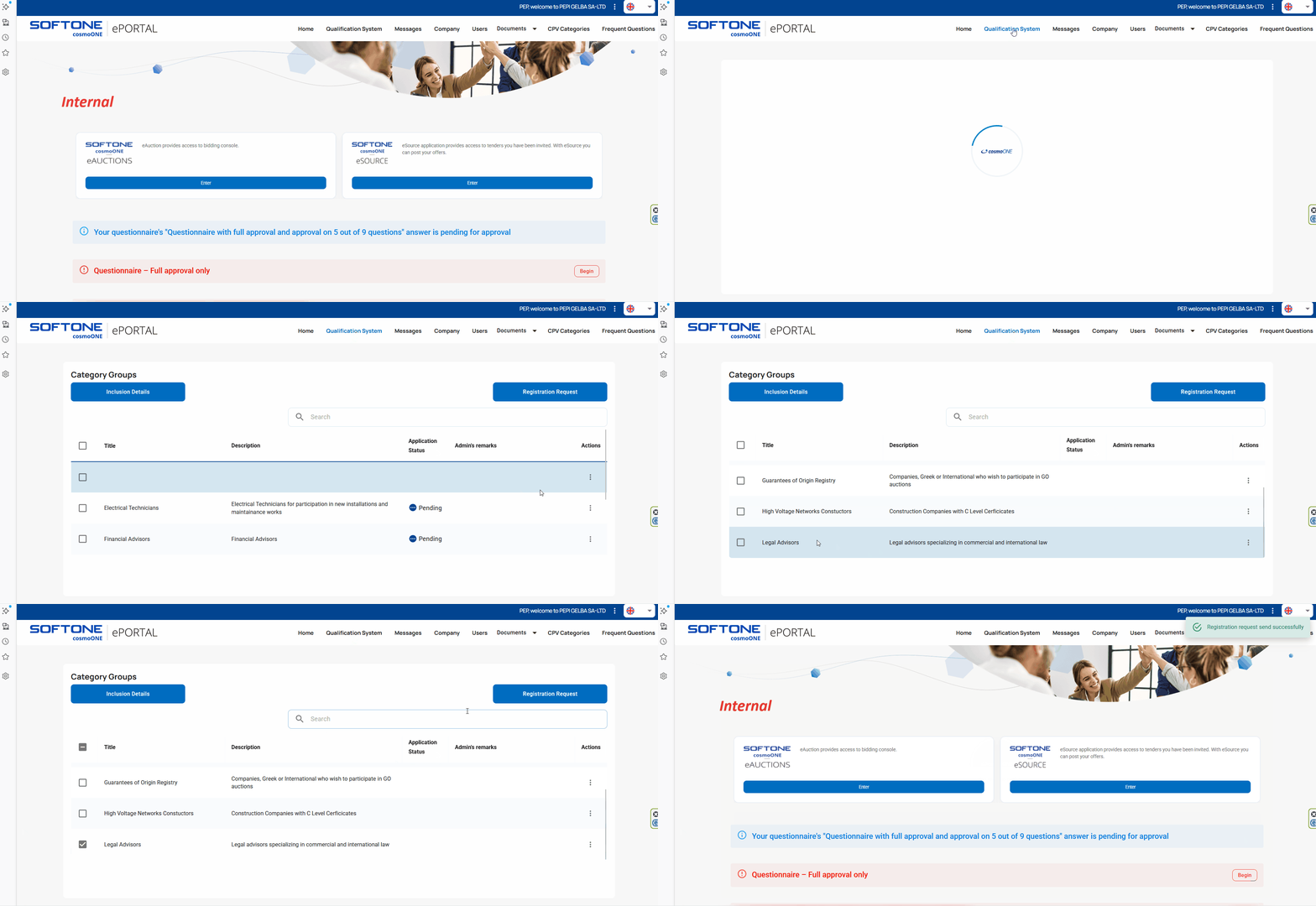
➤ Step-by-Step Instructions:
1. From the main menu, select “Qualification system”.
2. If the Entity has attached completion guidelines, you can view them by clicking the Inclusion Details button.
3. Select the category of interest by ticking the box to the left of the group name. You may also make use of the search filter, which locates keywords within both the title and the description.
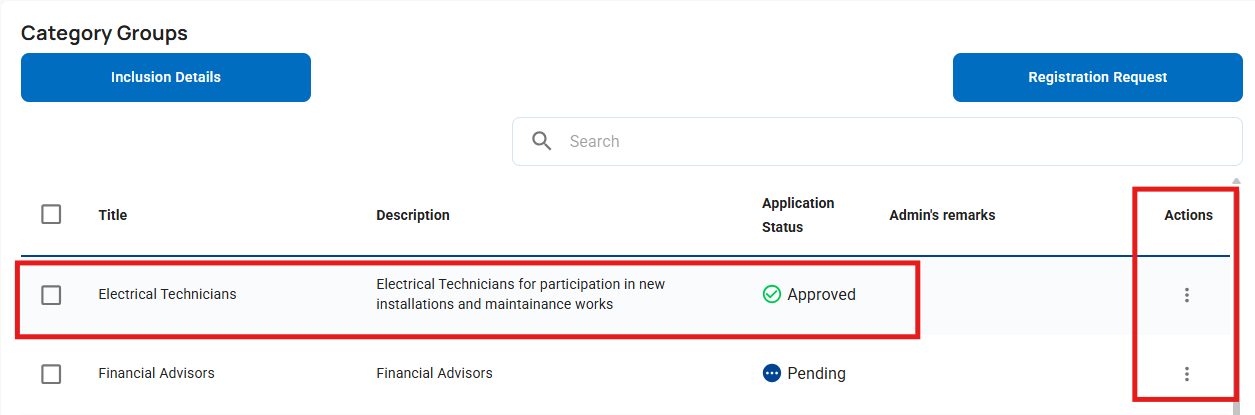
The screen displays:
- The group title.
- Description.
- The status of your application (Pending, Approved, or Rejected).
- Any comments from the administrator.
4. In the “Actions” column, by clicking the three vertical dots (⋮), you can access further information or attachments related to the category of interest, as illustrated in the image below.
5. To submit a registration application for a category, select the tick box to the left of the category and press the Registration Request button located on the right side of the screen.
⚠️ Important Information:
- If the category group includes a questionnaire, this will appear on the application's Home page. Please revisit to complete it.
- Approval or rejection of your application to join the category group by the Entity does not depend on the evaluation of the questionnaire. It is possible for the questionnaire you have completed to be approved, yet your application for the specific category to be rejected. For any changes or clarifications, please contact the Contracting Entity.
For instructions on how to answer questionnaires, please select the article:

