



 25
25
Users with the appropriate rights can edit or delete legal entity types in the corresponding section of the system.
📺 See the related video/GIF for step-by-step guidance on how to edit or remove a company type.
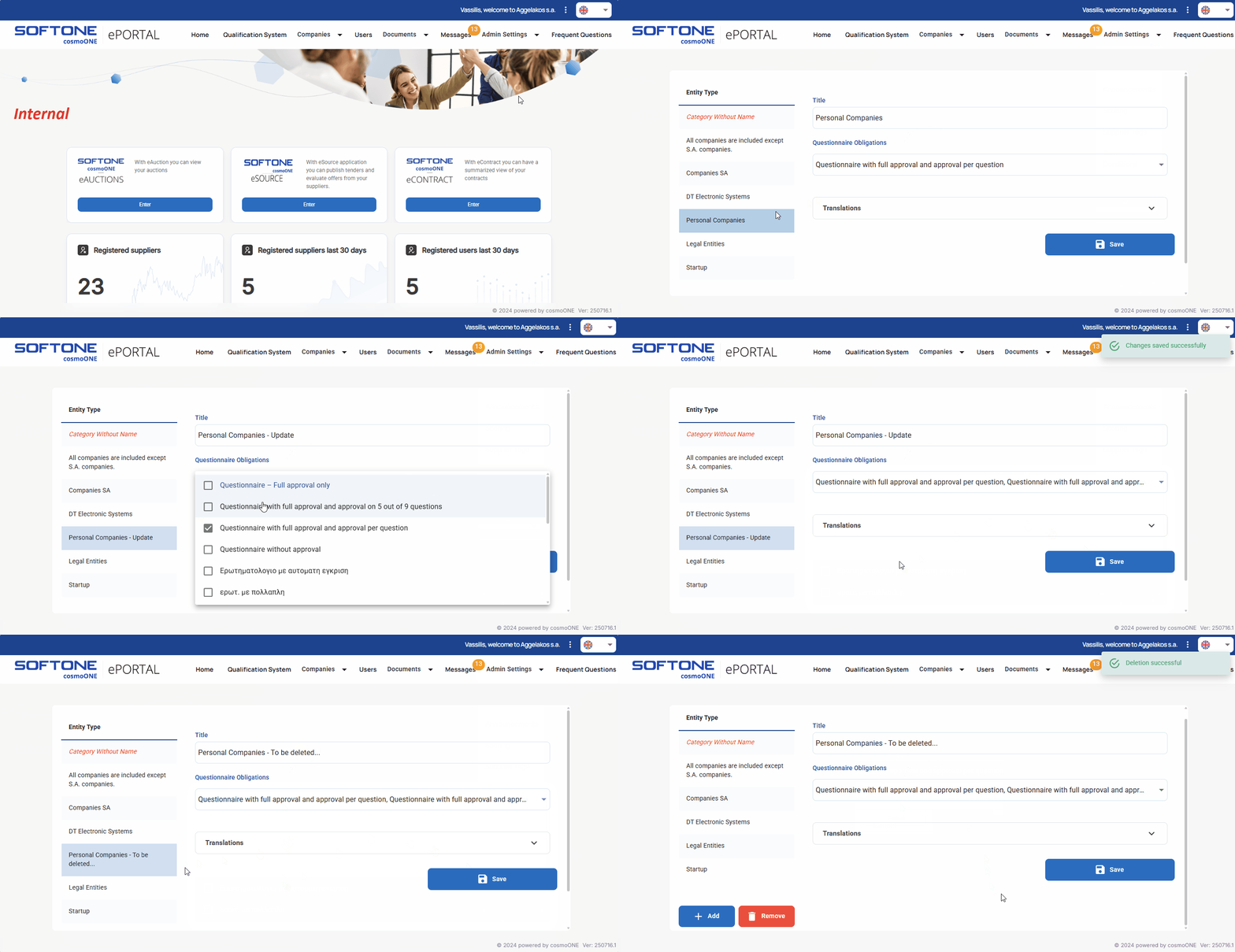
➤ Step by step instructions:
1. Go to the Admin Settings → Legal Entity Types menu.
2. On the left side of the screen, select the type you wish to modify.
3. Modify the desired fields as needed. Detailed explanations for each field can be found in the article:
👉 Creating Entity Types and linking them to Questionnaires
4. Click Save to apply your changes.
5. If you wish to delete a Legal Entity Type, select it and click Remove (bottom left). In the confirmation window that appears, click Continue to proceed with the deletion, or Cancel to abort.

