



 23
23
👉 This article is linked to the article: How to evaluate suppliers using the Rating system
The Scoring functionality allows you to rate registered suppliers, providing an additional way to evaluate and select them based on your defined criteria.
📺 See the related video/GIF for step-by-step guidance on how to create Rating options.
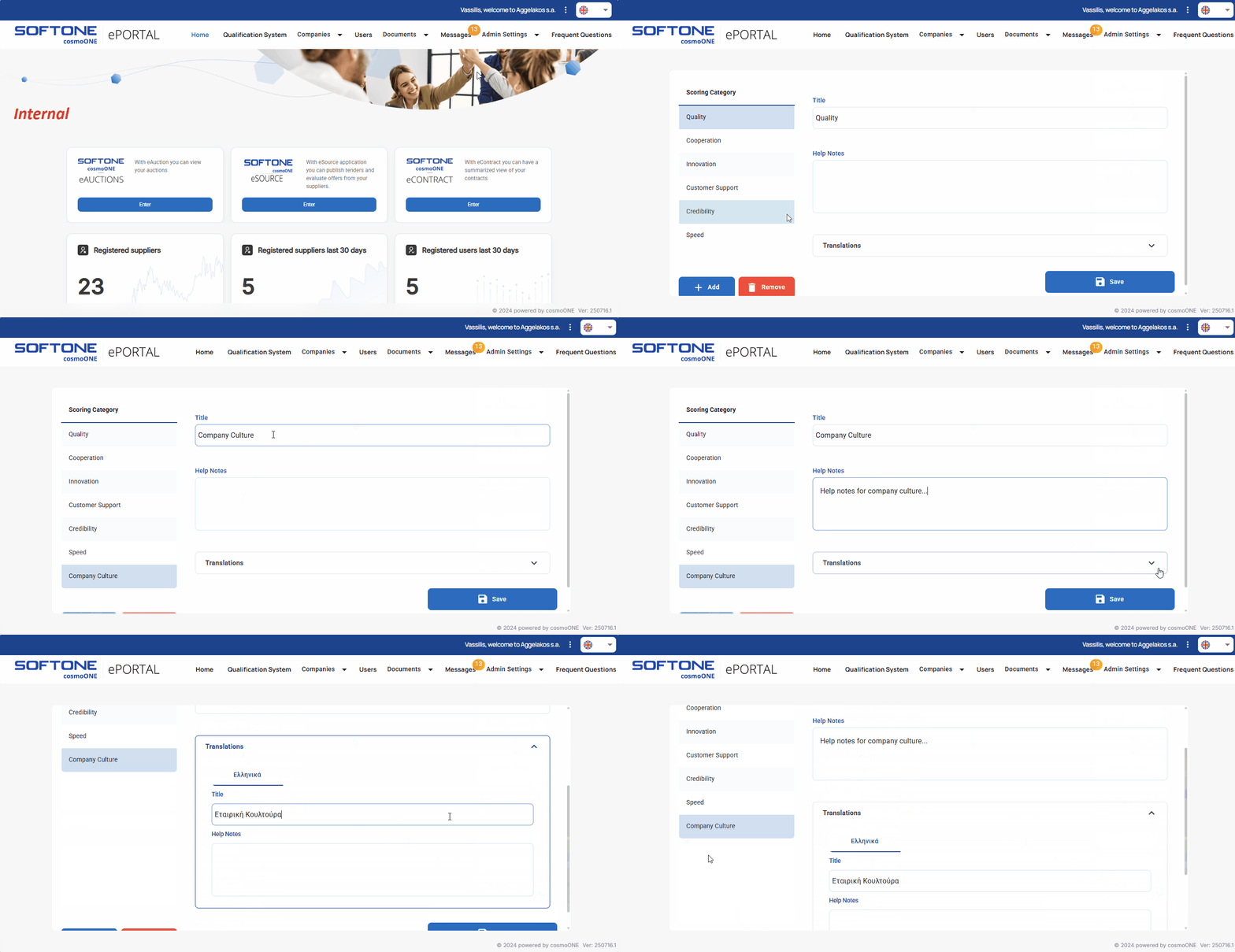
➤Step by step instructions
1. From the main menu please go to Admin Settings → Scoring.
2. Click on the + Add button (on the bottom left).
3. Complete the fields “Title” and “Help Notes”.
4. On the field “Translations” click the arrow and provide translations for the title and help notes in all available languages.
5. Click Save to complete the creation.
6. To delete a rating, select it and then click the button Remove. In the confirmation window select Continue for completion or Cancel to abort it.
📌Note: The Rating options are common to all suppliers.

