



 29
29
Scoring allows you to rate registered suppliers, providing an additional way to select and compare them based on the criteria you have defined. To perform a rating evaluation, the scoring categories must first be created.
For detailed guidance on how to create them, please refer to the following article:
👉 Creation of Rating (Scoring)
📺 See the related video/GIF for step-by-step guidance on how to evaluate suppliers.
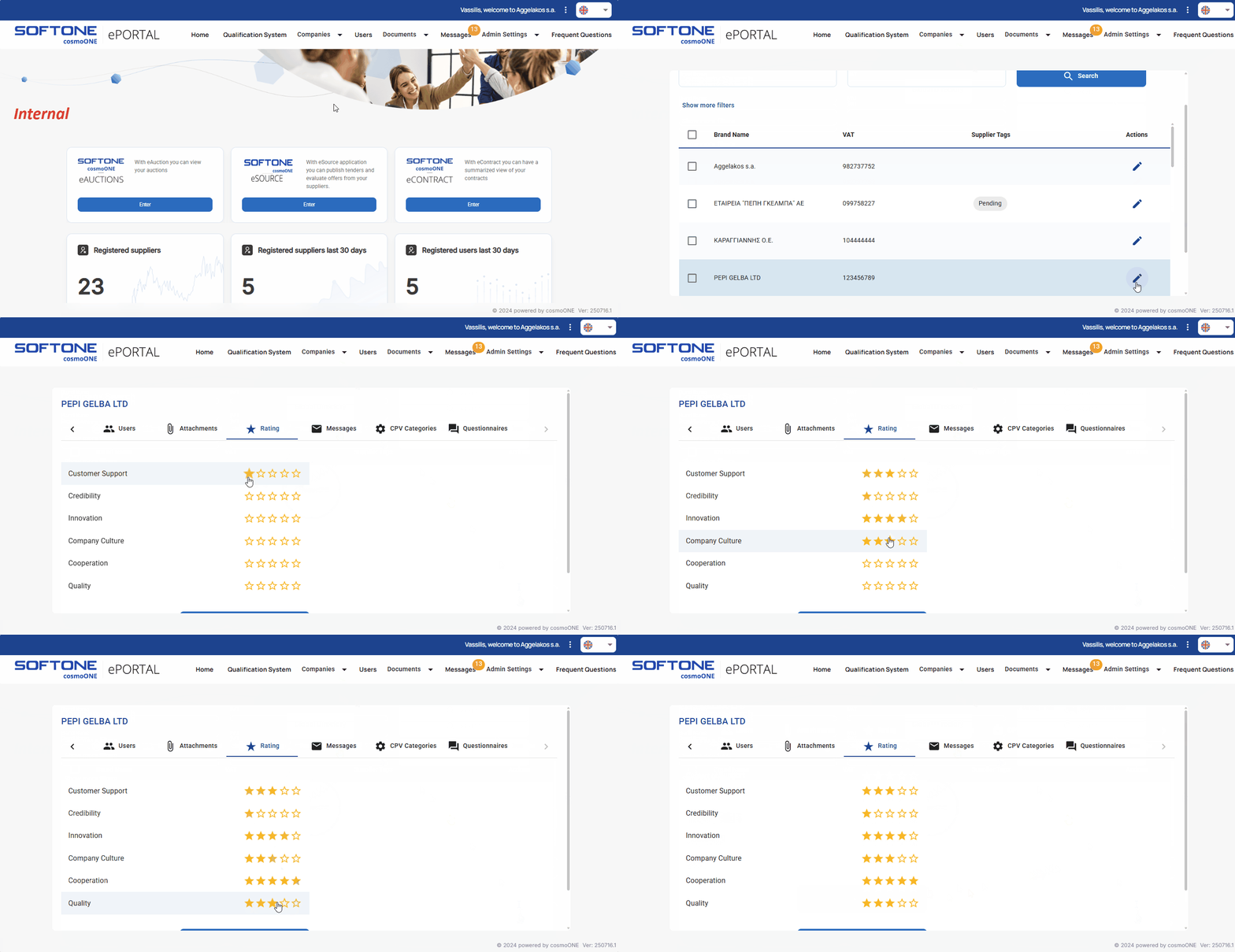
➤ Step by step instructions:
1. From the main menu go to Companies → Registered Suppliers.
2. Find the desired supplier and click on the pencil icon on the right side in the “Actions” column.
3. Go to the “Rating” tab.
4. For each scoring category choose a rating between 1 and 5 stars (the yellow stars indicate the selected rating).
5. Click Save to complete the process.

